
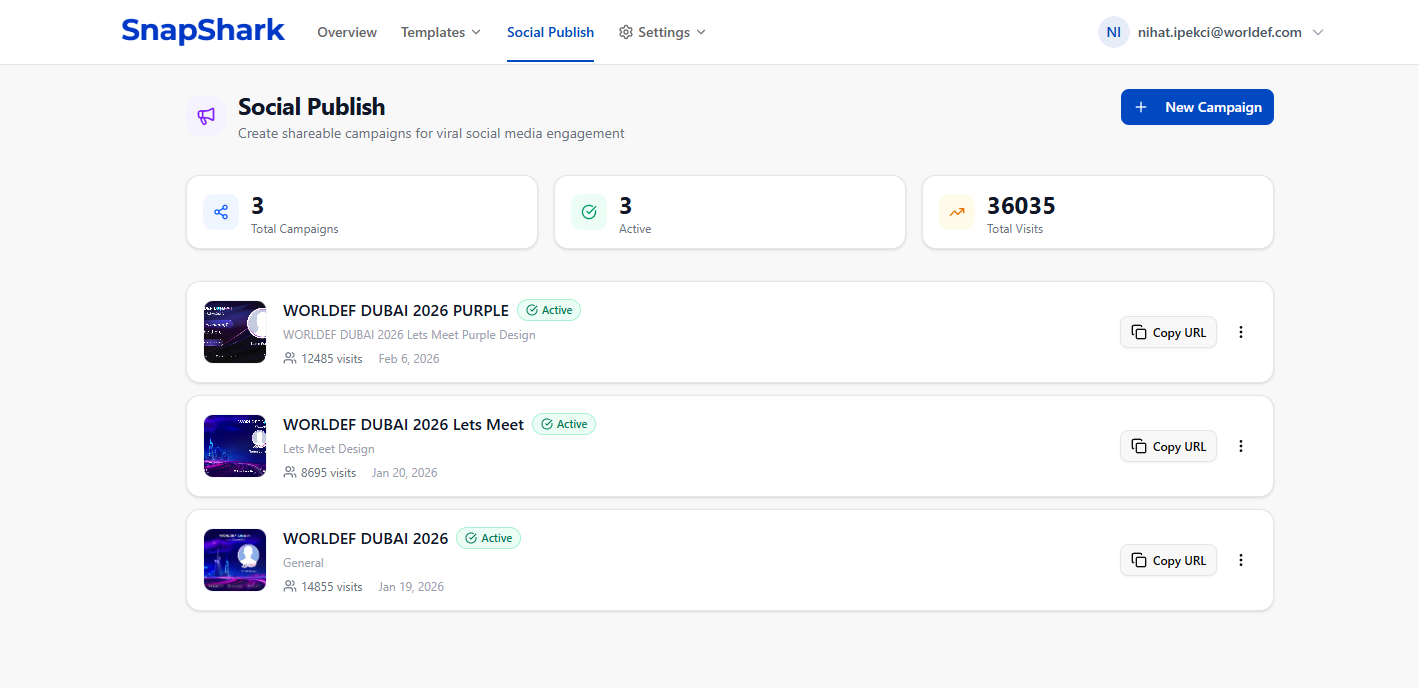
Imagine this: you're hosting a conference with 500 attendees. Each one walks away with a beautifully designed, personalized poster — their name, their photo, your event branding — and shares it directly to LinkedIn. Within hours, your event has reached thousands of people, all through authentic, organic posts from real professionals.
That's not a fantasy. That's Social Publish by SnapShark.
In this guide, we'll walk you through everything Social Publish can do — from automatic LinkedIn profile fetching to custom domains, real-time analytics, and use cases that turn every event, conference, or product launch into a viral marketing machine.
What is Social Publish?
Social Publish is SnapShark's campaign system for creating shareable, personalized images at scale. Instead of manually designing individual visuals for each person, you create one template with dynamic variables — like {{name}}, {{photo}}, or {{company}} — and let your audience generate their own version in seconds.
Use the visual editor or import HTML designs with dynamic variables
Get a unique shareable link with your custom slug
Via email, QR codes, website, or social media
Profile data fetched automatically from LinkedIn or Instagram
Share to LinkedIn or WhatsApp instantly with pre-filled text
Real-time analytics on visits, shares, and conversions
Every campaign gets its own short URL — like snapshark.io/social/p/WEF26X — or a custom slug that's easy to remember: snapshark.io/social/p/worldef-2026.
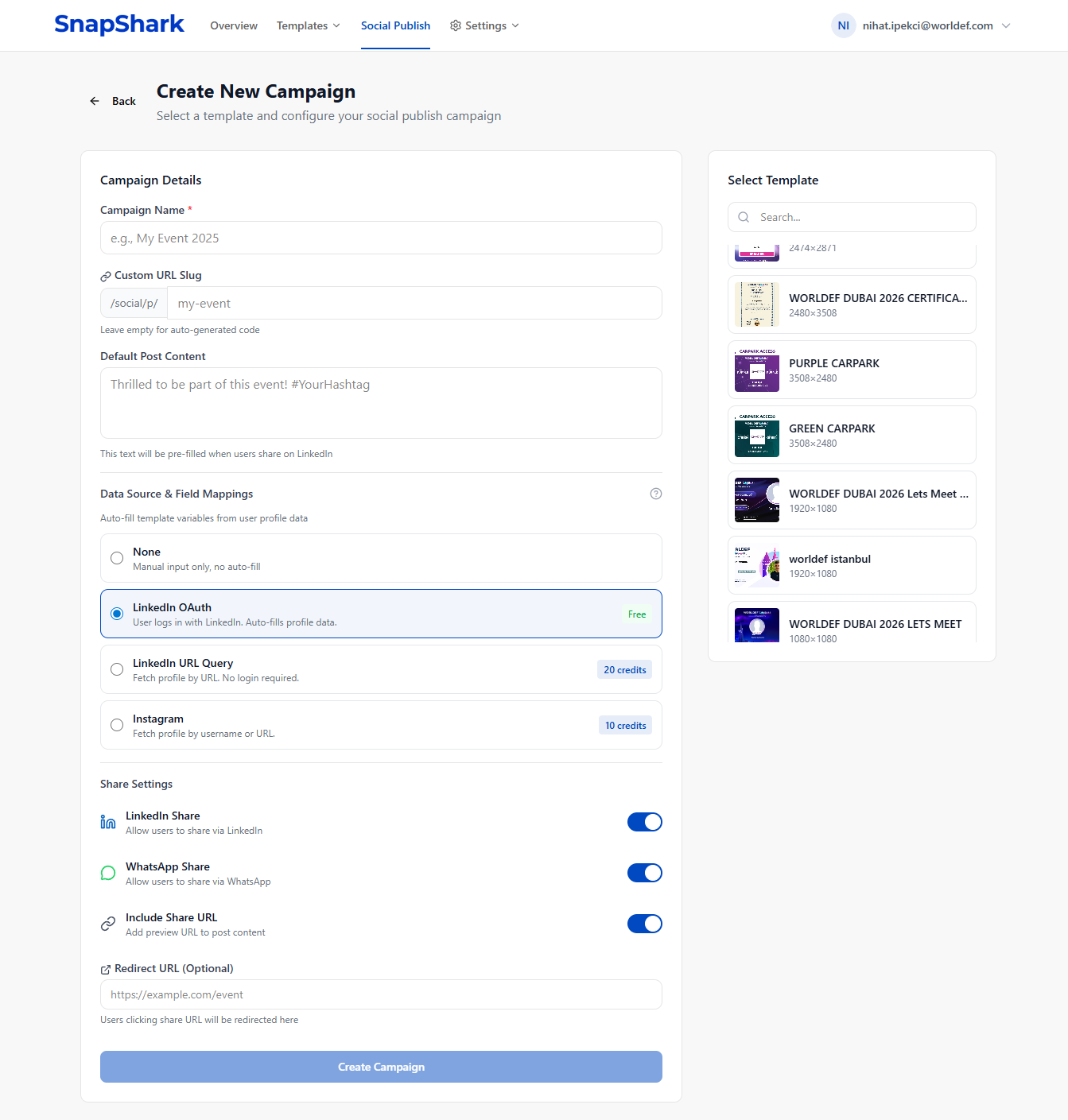
How It Works — Step by Step
Step 1: Design Your Template
SnapShark gives you two powerful ways to build templates:
A Canva-style drag-and-drop editor. Add text layers, images, shapes, backgrounds — no coding required. Place variables anywhere on the canvas.
For pixel-perfect control. Build templates with HTML and CSS — ideal for complex layouts or matching existing brand guidelines.
Your template variables are the magic ingredients: {{name}} for the person's name, {{photo}} for their profile picture, {{company}} for their organization — or any custom field you need.
Step 2: Create a Campaign
Once your template is ready, create a Social Publish campaign in just a few clicks:
- ✅ Give it a name (e.g., "WorldEF 2026 Speaker Badges")
- ✅ Choose a custom URL slug or auto-generate a short code
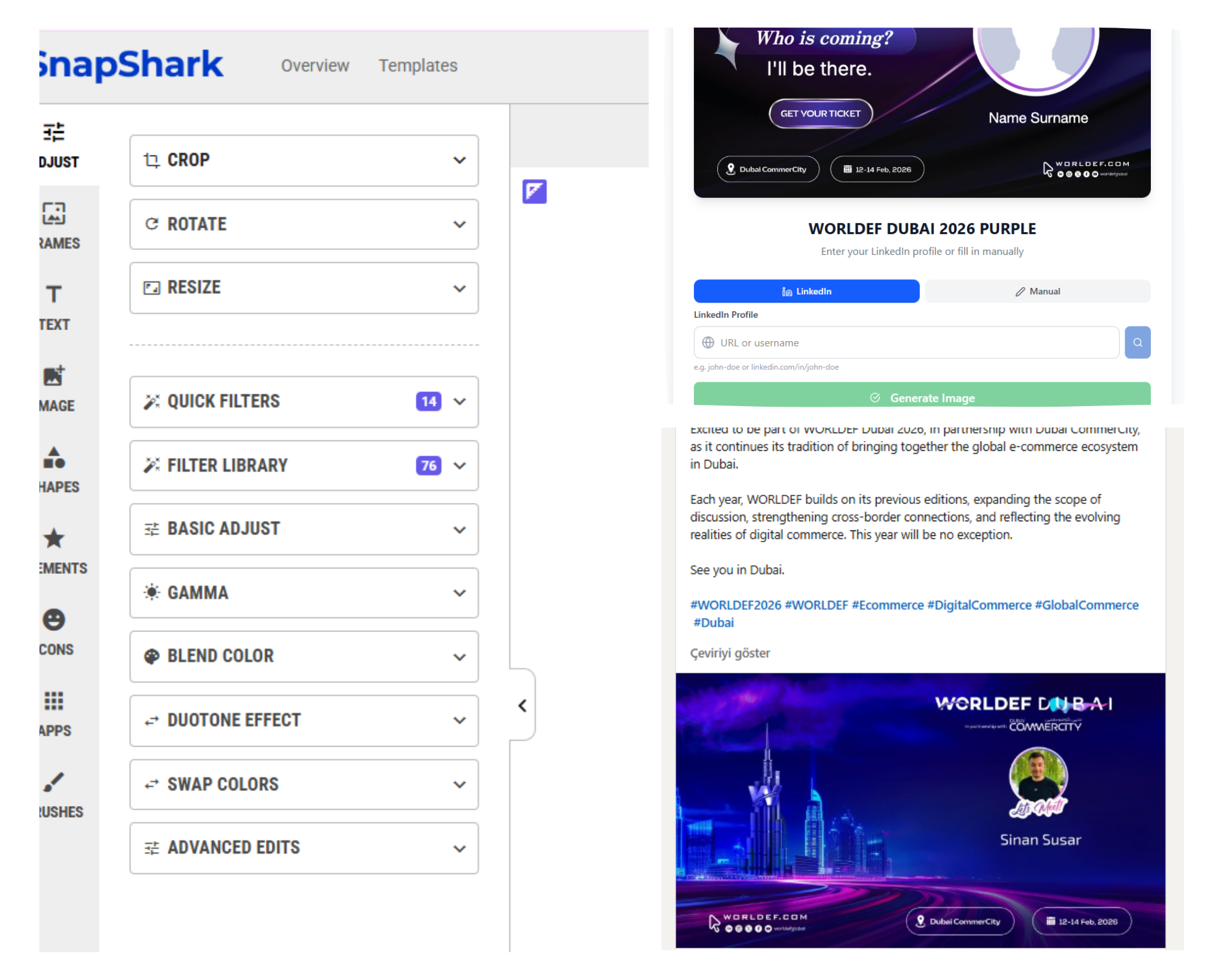
- ✅ Select your data source (LinkedIn, Instagram, or manual)
- ✅ Map data fields to your template variables
- ✅ Write default share text for LinkedIn and WhatsApp
- ✅ Configure OG tags for rich social previews
Step 3: Share the Link
Your campaign is live. Share the URL via email, QR codes at your event, your website, social media — anywhere. When someone opens it, they'll see your campaign page with a clear call to action.
Step 4: Automatic Personalization
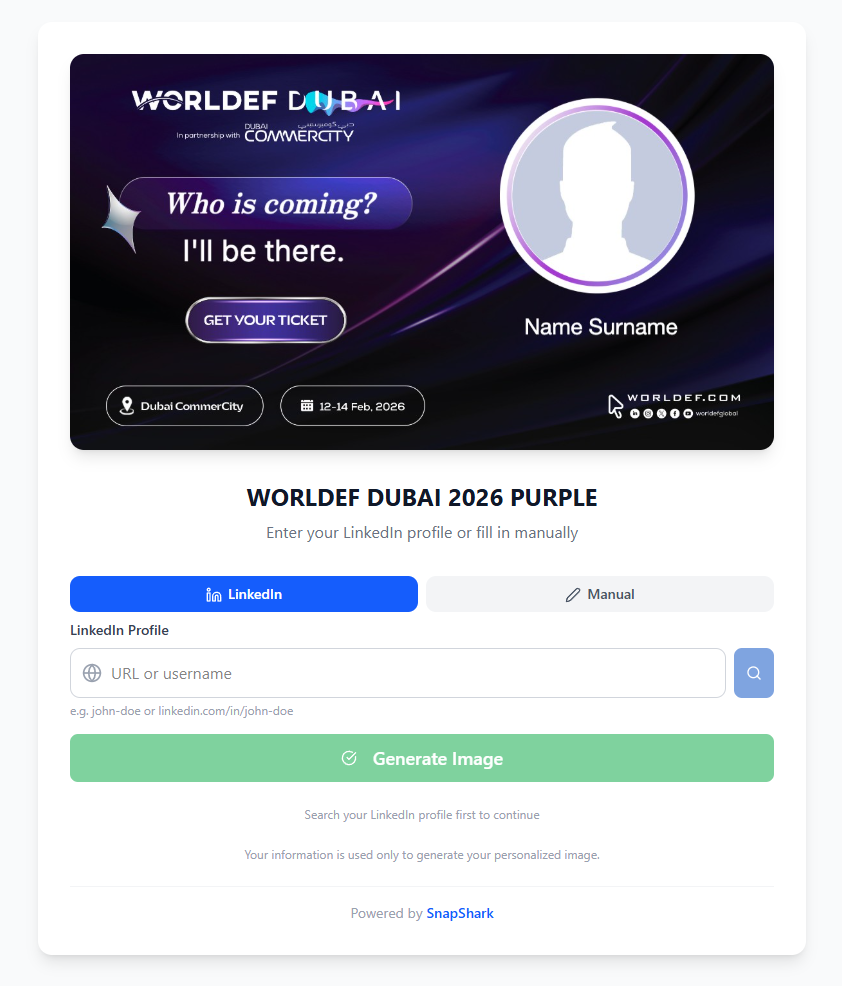
This is where the magic happens. Visitors click "Connect with LinkedIn," and within seconds, their name, profile photo, headline, and company are pulled in and mapped to your template variables — no manual typing required.
Step 5: One-Click Sharing
The personalized image is generated instantly. The visitor sees their unique visual and can share it directly to LinkedIn or WhatsApp with a single click. Post text is pre-filled, image is attached automatically.
Data Sources — Automatic Profile Fetching
💡 Why this matters: Manual data entry kills conversion rates. The fewer fields people have to fill in, the more likely they are to complete the process and share.
LinkedIn OAuth
The most seamless experience. Visitors click "Connect with LinkedIn" and authorize the app. SnapShark instantly fetches their:
No API keys needed on your end — it works out of the box. Plus, if the visitor grants posting permission, they can share directly to LinkedIn without leaving your campaign page.
🔍 LinkedIn URL Query
Visitors paste their LinkedIn profile URL. SnapShark fetches their public data including:
Ideal for kiosk setups at events — quick, frictionless, no login required.
📸 Instagram Profile
Target social media audiences. Visitors enter their Instagram username, and SnapShark fetches:
✏️ Manual Entry
Sometimes simple is best. Visitors type their name, upload a photo, and fill in any other fields manually. Perfect for public-facing campaigns where you don't want to require any social login.
You control exactly which data source field maps to which template variable. Map LinkedIn's full_name to your template's {{speaker_name}}, or Instagram's profile_photo to {{avatar}}. Full control, zero ambiguity.
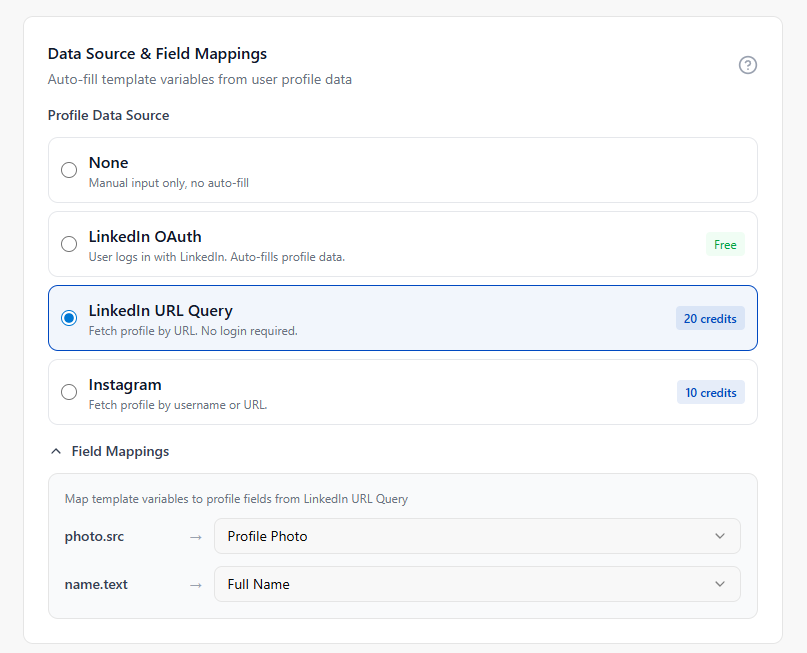
LinkedIn and WhatsApp Integration
LinkedIn — Full Posting Integration
Social Publish isn't just about generating images — it's about getting them shared. The LinkedIn integration handles the entire posting flow:
Visitor authenticates with LinkedIn
Profile data fetched & image generated
Image uploaded to LinkedIn CDN
Post goes live with image + pre-filled text
Your visitors don't need to download anything, open LinkedIn separately, or copy-paste text. One click, and their personalized post is live — reaching their entire professional network.
WhatsApp — Rich Preview Sharing
SnapShark generates a special share link with full Open Graph meta tags. When shared in WhatsApp (or Telegram, Facebook Messenger, or any other platform), the link renders a rich preview with:
- ✓ Custom title (your campaign name or custom OG title)
- ✓ Description text for context
- ✓ The personalized image as the preview thumbnail
The generated image shows up directly in the chat — no need for the recipient to click anything. Maximum visual impact, minimum friction.
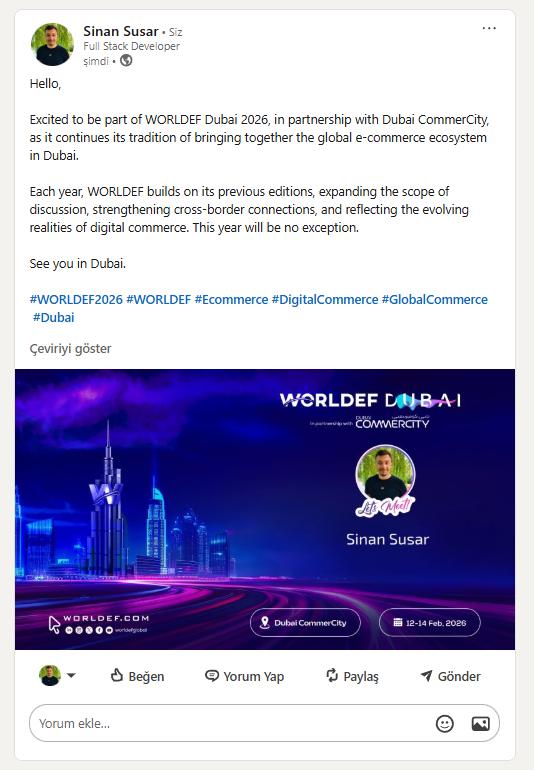 g
g
🌐 Custom Domain
Your Brand. Your URL. Complete White-Label.
This is a game-changer for professional events and agencies.
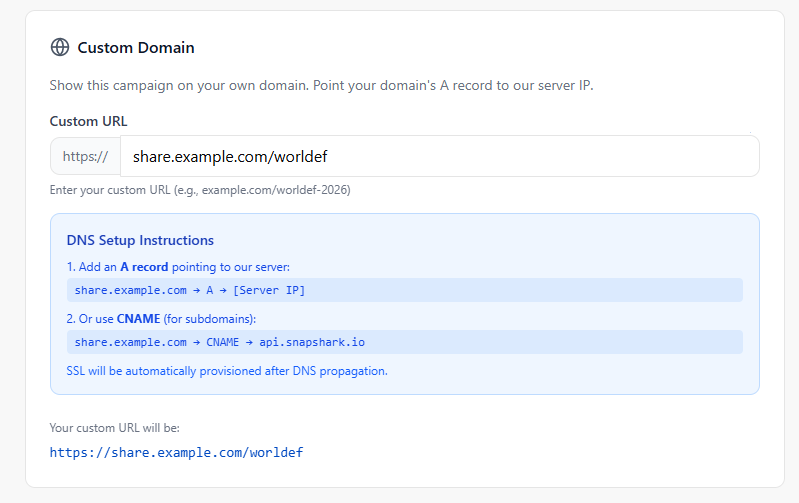
By default, your campaign lives on snapshark.io/social/p/your-slug. But with the Custom Domain feature, you can serve campaigns from your own domain:
share.yourbrand.com/worldef-2026
No SnapShark branding. No third-party URLs. Just your brand, your domain, your event — presented with full professional credibility.
Why Custom Domain Matters
Attendees see your domain and feel confident. A familiar URL signals legitimacy — especially when asking people to connect their LinkedIn account.
All traffic flows through your domain. Social shares create backlinks to your domain. Every personalized image shared is an organic backlink to your brand.
For conferences and product launches, presentation is everything. A branded URL reinforces your brand identity at every touchpoint.
Create fully branded experiences for each client. Client A gets share.clienta.com, Client B gets events.clientb.com — all from one account.
How to Set Up Your Custom Domain
A subdomain like share.yourbrand.com or a dedicated domain like yourevent2026.com
Add a CNAME record pointing to api.snapshark.io — one DNS record, that's all
SSL/TLS certificates are provisioned automatically — your campaign is served over HTTPS from day one
Enter your custom URL in campaign settings and save. Done.
🔗 Custom Domain + OAuth = Seamless
The entire OAuth flow stays on your domain. When a visitor clicks "Connect with LinkedIn" on your custom domain campaign, they authenticate and get redirected back to your custom domain — not to snapshark.io. The experience is 100% white-labeled from start to finish.
snapshark.io/social/p/WEF26X
share.yourbrand.com/worldef-2026
Perfect For
Real-Time Analytics and Visitor Tracking
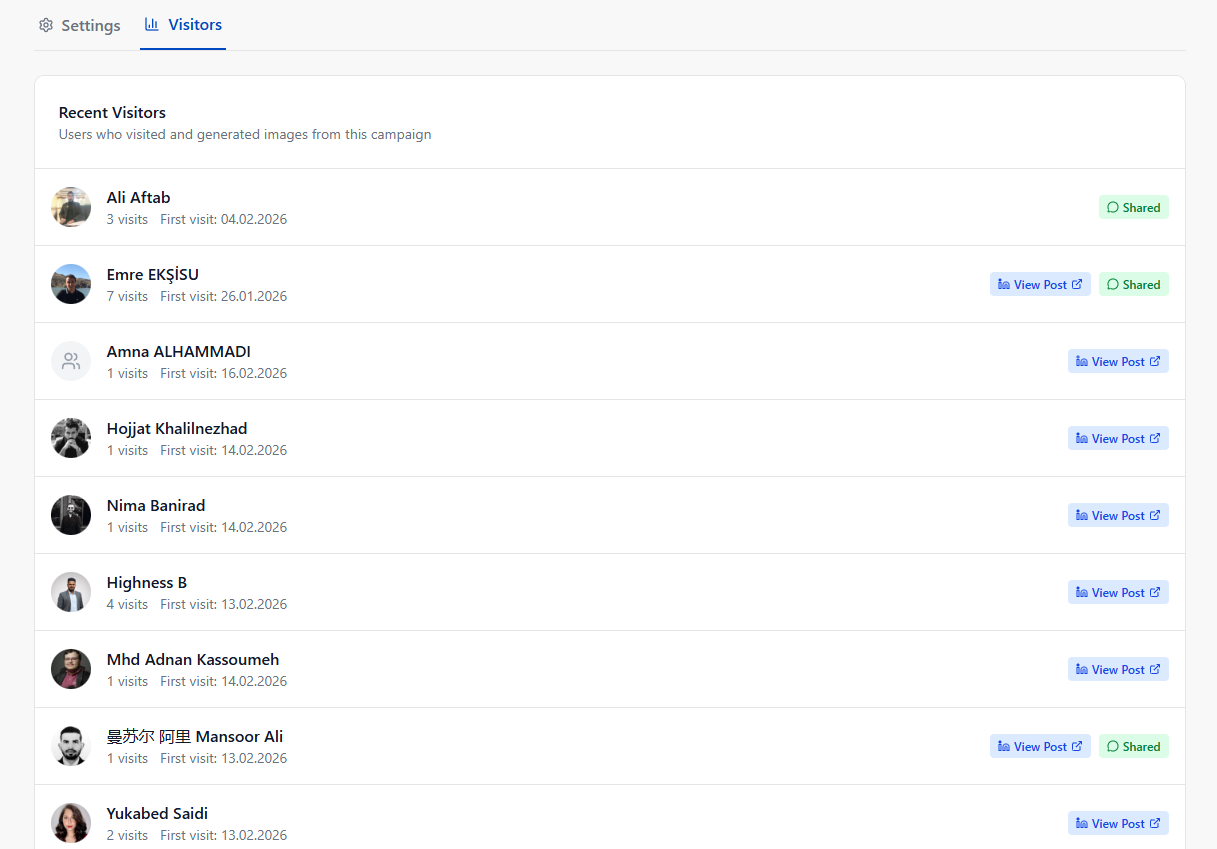
Every Social Publish campaign comes with built-in analytics that show you exactly what's happening — in real time.
Visitor-Level Data
For each visitor, SnapShark tracks:
| Data Point | What It Tells You |
|---|---|
| LinkedIn Name & Profile | Who visited and their professional identity |
| Visit Count | How many times they came back (engagement signal) |
| Share Status | Did they share on LinkedIn? WhatsApp? Both? |
| LinkedIn Post ID | Direct link to their LinkedIn post |
| Generated Image | The exact personalized image they created |
| First & Last Visit | Timestamps for behavioral analysis |
💡 Lead Generation Built In: Every campaign doubles as a lead capture tool. You're driving viral brand awareness while collecting verified LinkedIn profile data from engaged professionals who chose to interact with your brand.
Use Cases — Real-World Examples
🎪 Conferences and Industry Events
Picture a tech conference with 2,000 attendees. You create a stunning speaker badge template with event branding and set up a campaign with LinkedIn OAuth.
At registration, attendees scan a QR code → connect LinkedIn → a personalized "I'm attending [Event Name] 2026" poster is generated with their name, photo, and company → they share to LinkedIn with one click.
With a custom domain like share.worldef.com/2026, the experience feels native to your event brand.
🏢 Corporate Events and Team Celebrations
Company anniversaries, annual summits, team offsites, or internal awards ceremonies — make every corporate moment shareable:
- 🏷️ "Proud to be part of [Company] for [X] years!"
- 🏷️ "Just attended the [Company] Innovation Summit 2026"
- 🏷️ "Celebrating Q4 wins with the incredible [Company] team"
Employees share on LinkedIn → amplifies your employer brand organically.
🚀 Product Launches
Turn your product launch into a movement. Early adopters and beta testers generate personalized "I'm excited about [Product]" images. These organic endorsements from real people carry far more weight than any paid advertisement.
🏆 Awards and Certificates
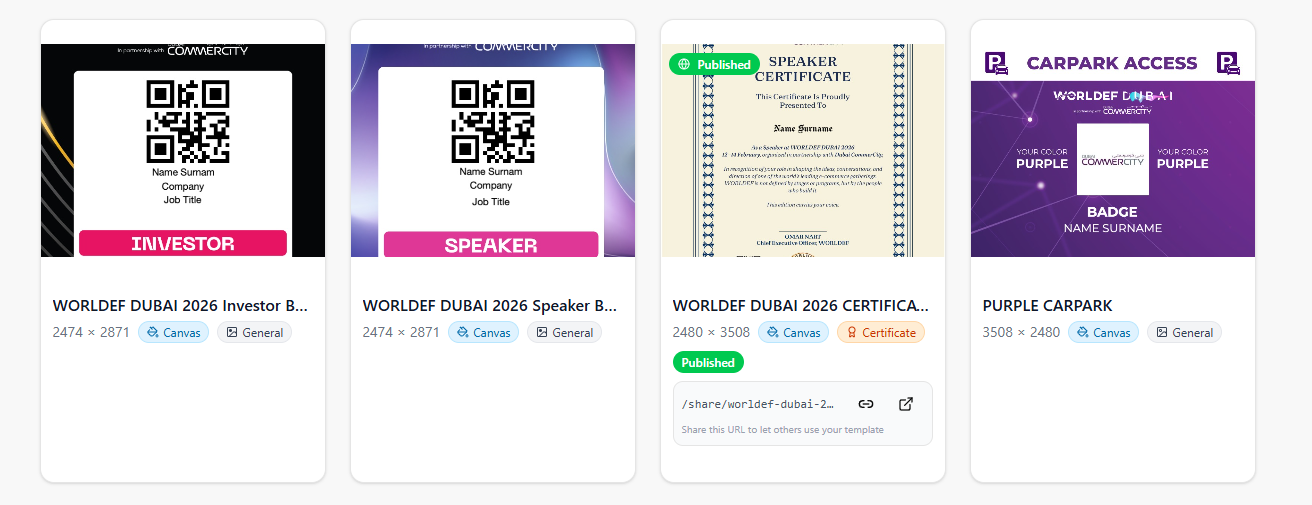
"Best Speaker" awards, course completion certificates, hackathon winner announcements — Social Publish automates creation and distribution. Winners share their achievements on LinkedIn, driving prestige for both the individual and your organization.
🎯 Trade Shows and Expos
Set up a kiosk at your booth with a QR code. Visitors scan → connect LinkedIn → get a branded "I visited [Your Company] at CES 2026" image. Every share is free booth advertising to their entire network.
Bonus: you've captured their LinkedIn profile data for post-event follow-up.
🎥 Webinars and Online Events
After a webinar, send participants a link to generate their personalized attendance certificate or "Key takeaways from [Webinar Name]" visual. Extends the life of your content long after the live event ends.
🤝 Community and Membership Programs
Welcome new members with "I just joined [Community]" images. Celebrate milestones with "1 Year in [Community]" posts. Turn every member into an ambassador.
🏢 Agency Multi-Client Campaigns
For agencies, Social Publish with custom domains is the ultimate white-label tool. Manage dozens of client campaigns from one account:
Each client gets their own branded domain, templates, and analytics — managed from a single dashboard.
Campaign Management Made Simple
Campaign Lifecycle
SEO-friendly slugs like worldef-speakers-2026 with real-time availability checking. Can be changed even after creation.
Set an optional expiration for time-sensitive campaigns. Once expired, the campaign automatically stops accepting new visitors.
Customize how your campaign link appears when shared. Set custom titles, descriptions, and images for polished social previews.
Public Generators — Showcase Your Templates
Beyond campaigns, SnapShark offers Public Generators — shareable, rate-limited template pages anyone can use without logging in.
Let customers try before signing up
Free generations to drive sign-ups
Share on your blog or landing page
Configurable limits prevent abuse
Security and Privacy
All integration credentials and sensitive visitor data encrypted at rest
All public endpoints protected against abuse
Cloudflare Turnstile on all public-facing forms
Automatic SSL on custom domains included
Ready to Go Viral?
Turn your next event into a viral marketing campaign. Three steps to get started:
Free tier available
Visual editor or HTML
Share and track results
Your next event deserves more than just memories. Make it go viral.